Reporting Content
If you come across a check-in, spot, or profile that seems unsafe, misleading, or inappropriate, you can report it directly from the app. Reports are reviewed by the Wietly team.
How to report
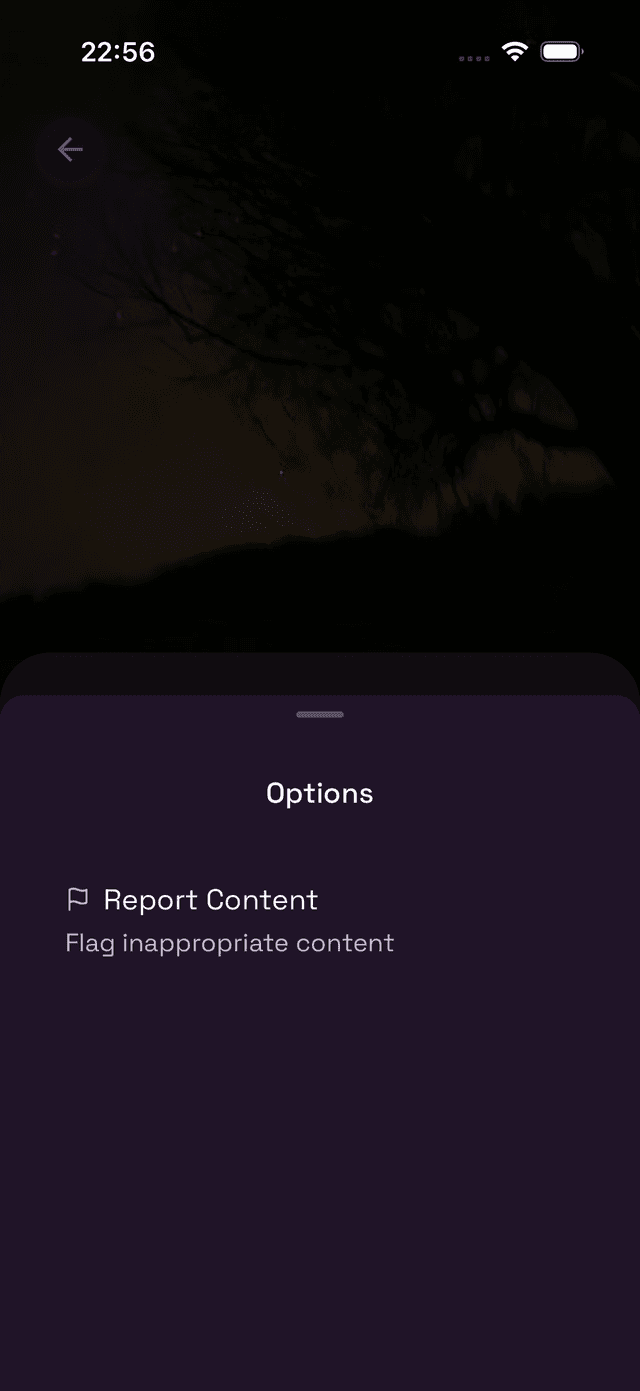
On any check-in or spot, tap the ⋯ (three dots) button — usually in the top-right corner of the card or detail screen. This opens the Options menu.
Tap Report Content to proceed.
Choosing a reason
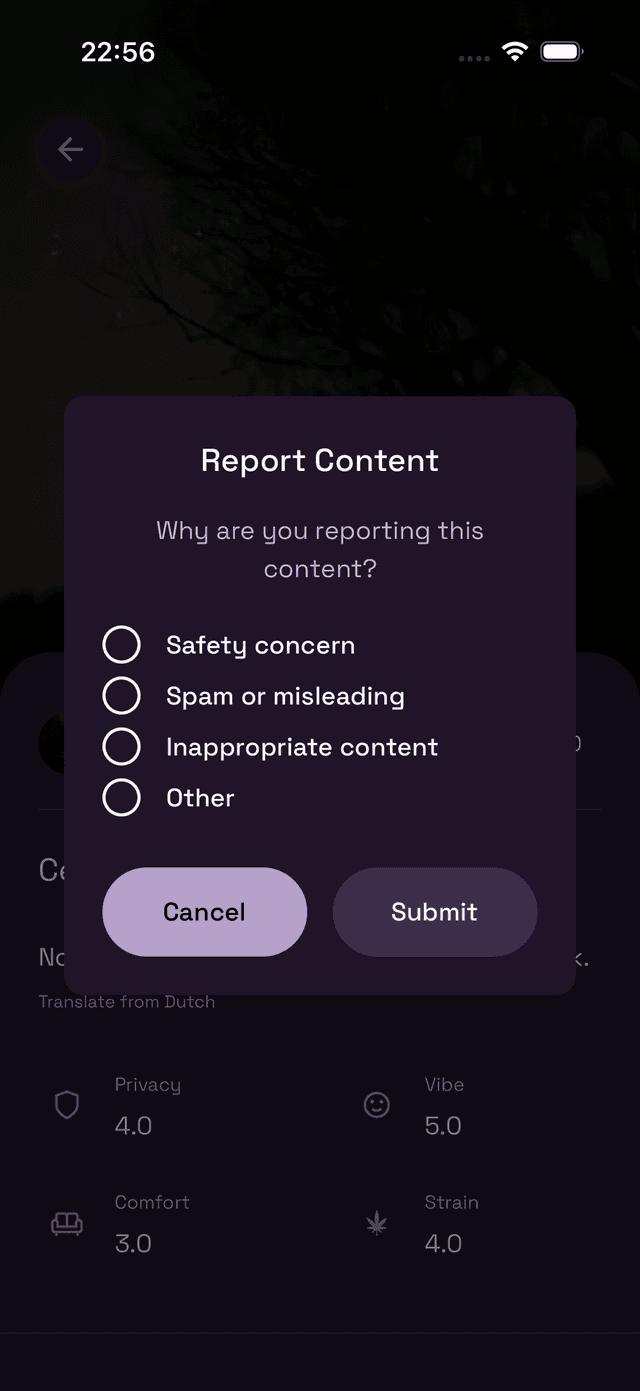
Select the reason that best describes the issue, then tap Submit:
- Safety concern — The spot or content puts people at risk.
- Spam or misleading — Fake locations, duplicate spots, or dishonest check-ins.
- Inappropriate content — Content that violates community guidelines.
- Other — Anything else that doesn't fit the above categories.
After submitting, the content stays visible to you but is flagged for review. You won't receive a follow-up notification, but all reports are looked at by our team.
What happens after you report?
The Wietly team reviews every report. Depending on the outcome, content may be removed, the spot may be unverified, or a user's account may be actioned. We take reports seriously and aim to keep the community safe and trustworthy.
If you believe something requires urgent attention, you can also reach us directly via the contact page.