Spots
Spots are community-verified locations where people enjoy cannabis. Every pin on the map is a spot — submitted and rated by real users.
Viewing a spot
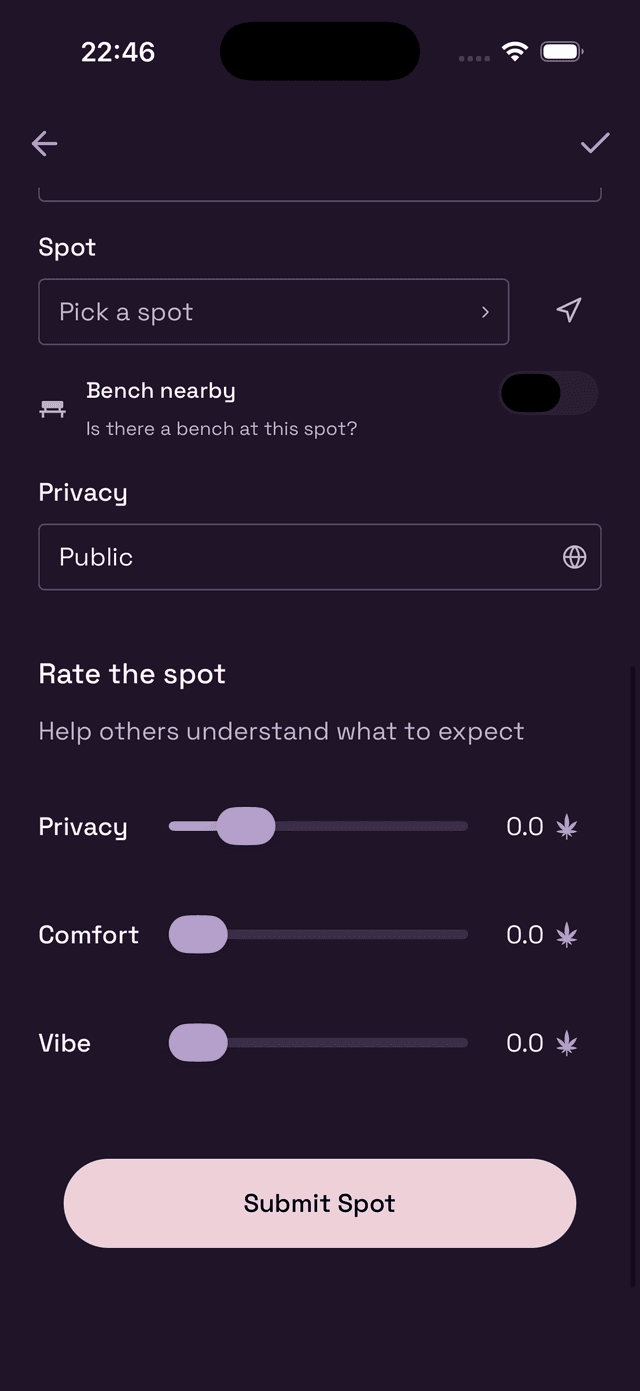
Tap any pin on the map to open a preview card at the bottom of the screen. You'll see:
- The spot's name and a photo (if one has been added)
- Who submitted it and when
- Its star rating (average from all check-ins)
- Distance from your current location
- Tags like Bench (seating nearby) and whether it's Public or Unverified
Swipe up on the card to see the full detail view.
Spot ratings explained
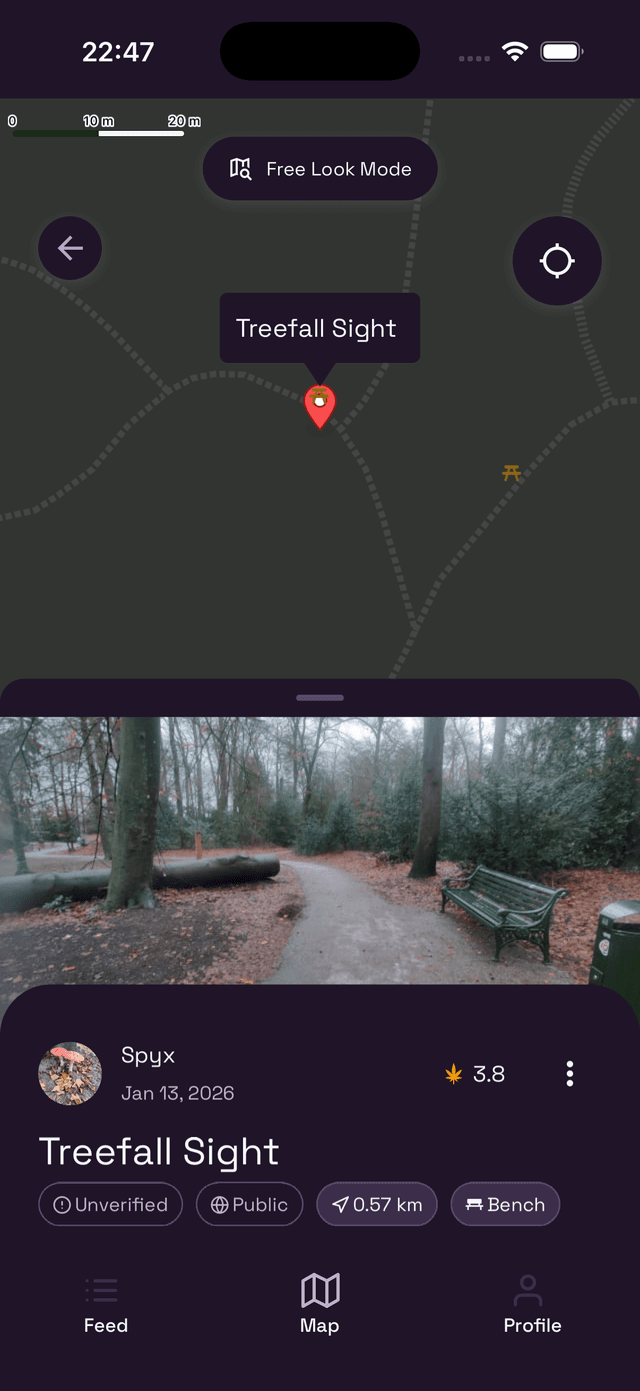
Each spot has three community ratings, built up from everyone who's checked in there:
- Privacy — How hidden or sheltered the spot is. Higher = more secluded.
- Comfort — Seating, shelter from wind/rain, and overall ease of use.
- Vibe — The atmosphere. Think scenery, ambiance, and how it makes you feel.
The overall star rating (shown on the pin preview) is a combined average of all three.
Verified vs. Unverified
Every submitted spot starts out as Unverified. The Wietly team manually reviews each one — if it meets our quality bar (safe, accurate, genuinely useful), it gets the Verified badge.
Unverified spots are still visible and usable; just treat them with a bit more caution until they've been confirmed.
Proposing a new spot
Know a great spot that's not on the map yet? Submit it and help the community grow.
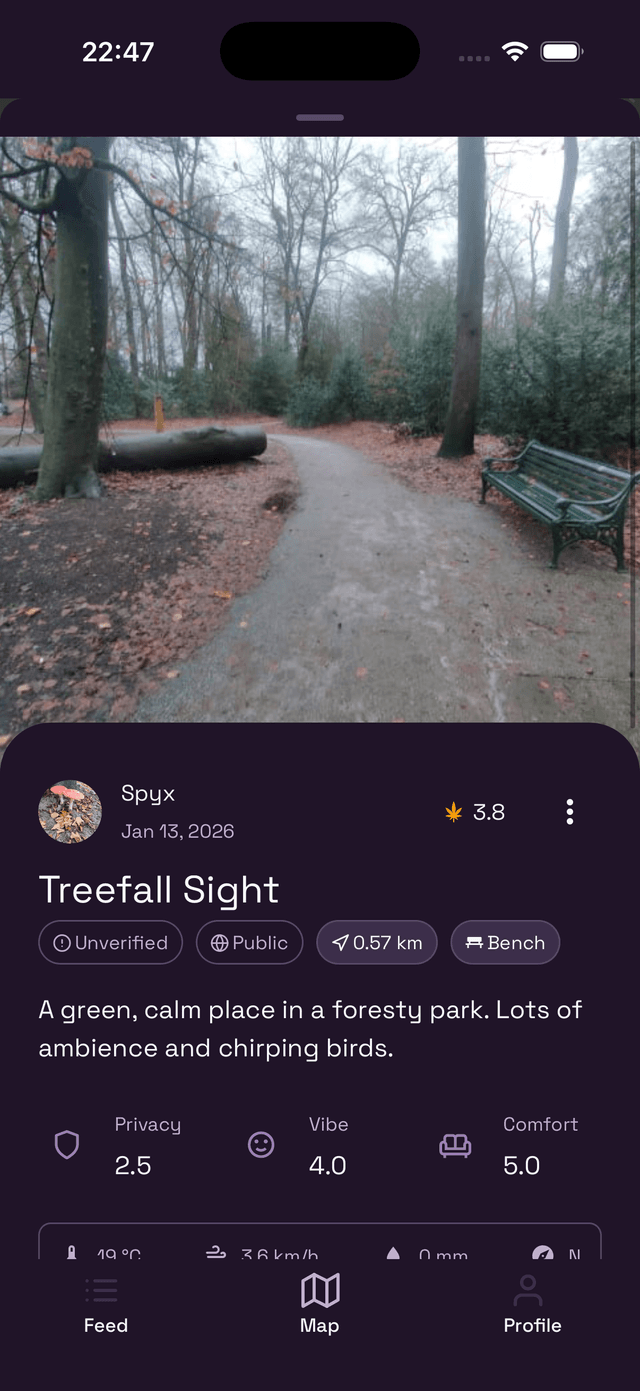
Tap the + button on the Map → Propose spot, then fill in:
- Photo — Add a picture so others know what to look for.
- Name — Give it a short, memorable name.
- Description — Describe the spot in a sentence or two.
- Location — Tap Pick a spot to pin the exact location, or use the arrow icon to use your current location.
- Bench nearby — Toggle on if there's seating close by.
- Privacy — Set whether the spot is Public or visible to Friends Only.
Rate the spot when proposing
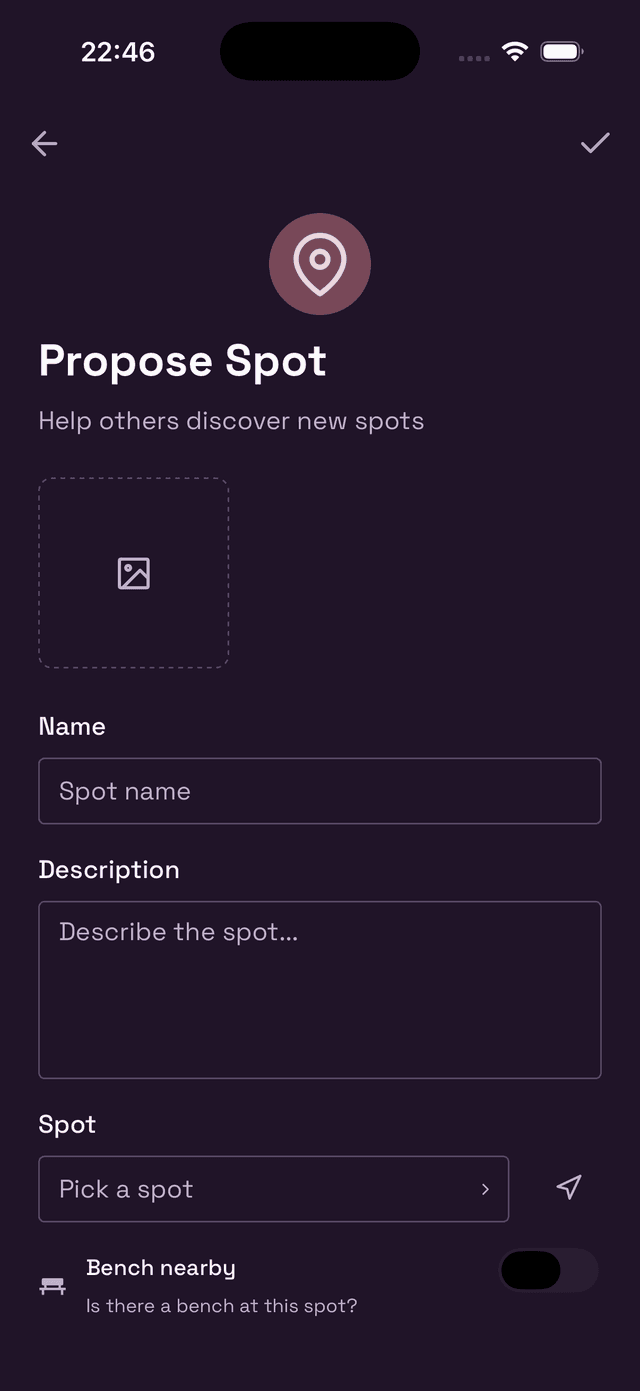
Before submitting, you can give the spot an initial rating using the three sliders at the bottom of the form. This helps other users know what to expect before anyone else checks in.
When you're done, tap Submit Spot. Your spot will appear on the map as Unverified right away, and the Wietly team will review it.